way2flow by Forrest Technologies

A board for running
AI coding agents
on your own machines.

way2flow assigns the cards on a board to agents such as Claude Code and Codex, which run on your machines. You lay out the stages, gates (approval steps), agents and tools, and that layout is the workflow the cards follow.
Card pickup, build mode, a gate, an inbox question, mission control
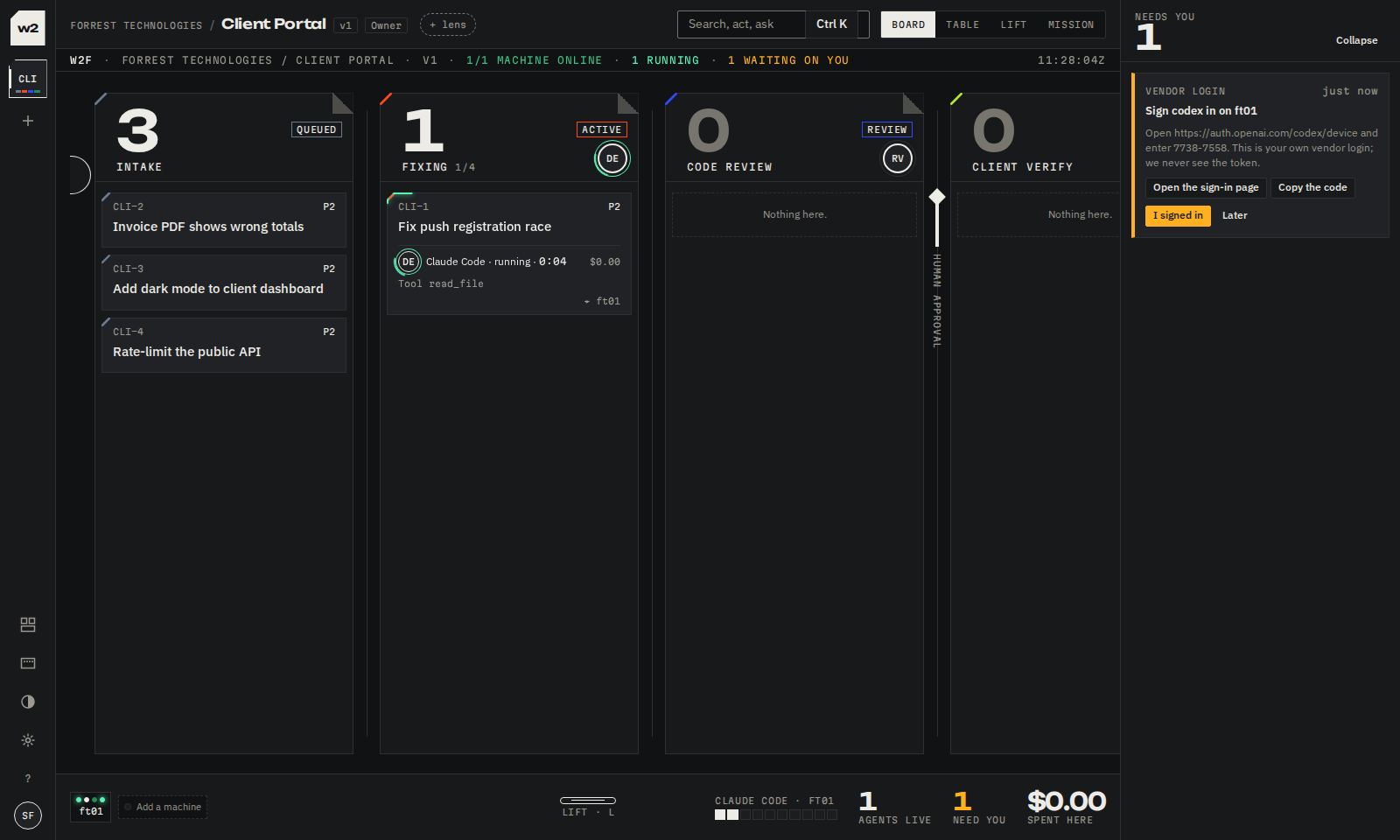
The Deck with four stages: Intake holding three cards, Fixing with one card an agent is running, and empty Code review and Client verify stages. The inbox on the right asks a person to sign in to Codex.
01 · The Deck Stages are columns and cards move through them. The agent that works a stage sits in its header, and gates sit in the gaps between stages.
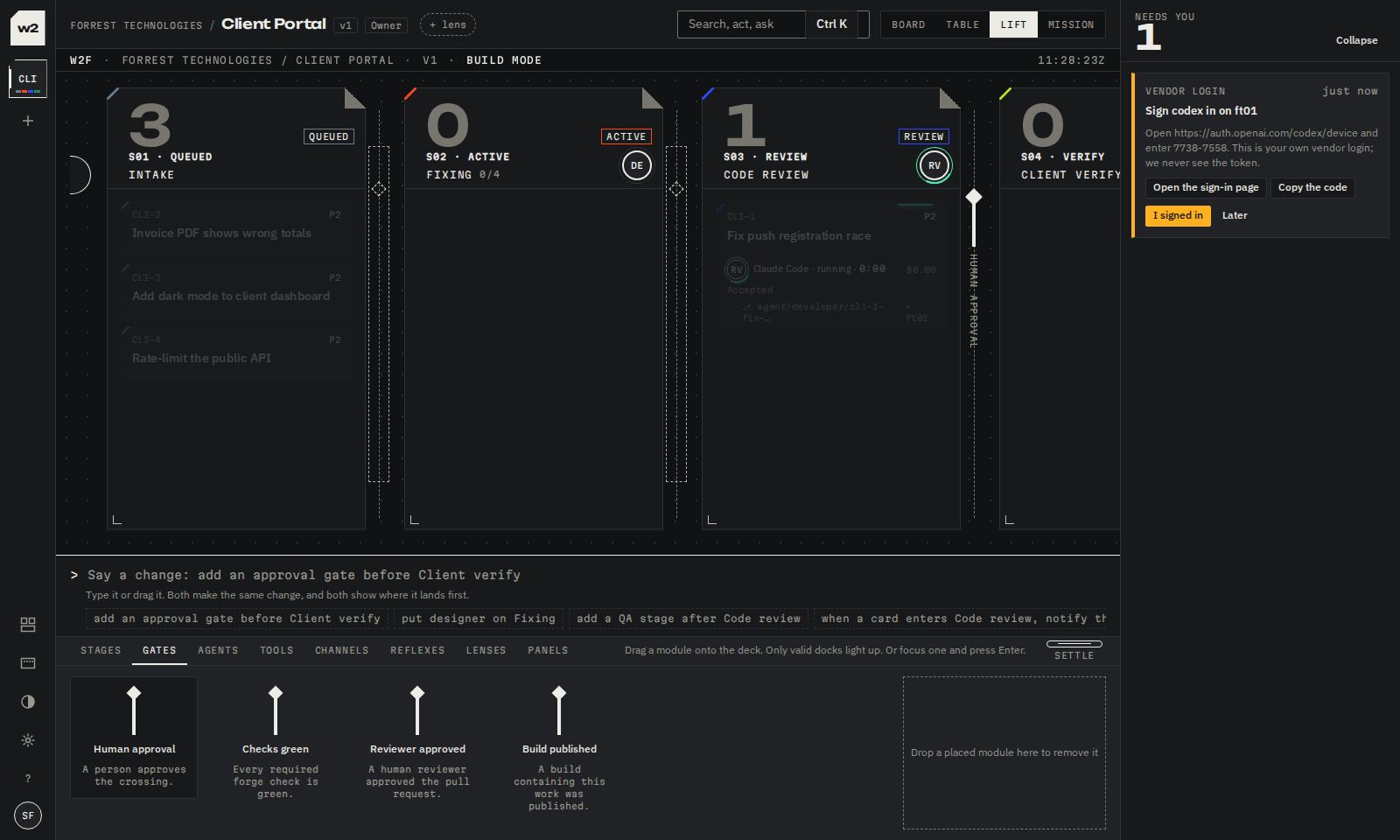
Build mode: dimmed stages with dashed outlines in the gaps between them, the Gates tab of the Tray open below, and a tooltip describing the Human approval gate.
02 · Build mode Press L for build mode. While you hold a module from the Tray, only the places it can go are outlined.
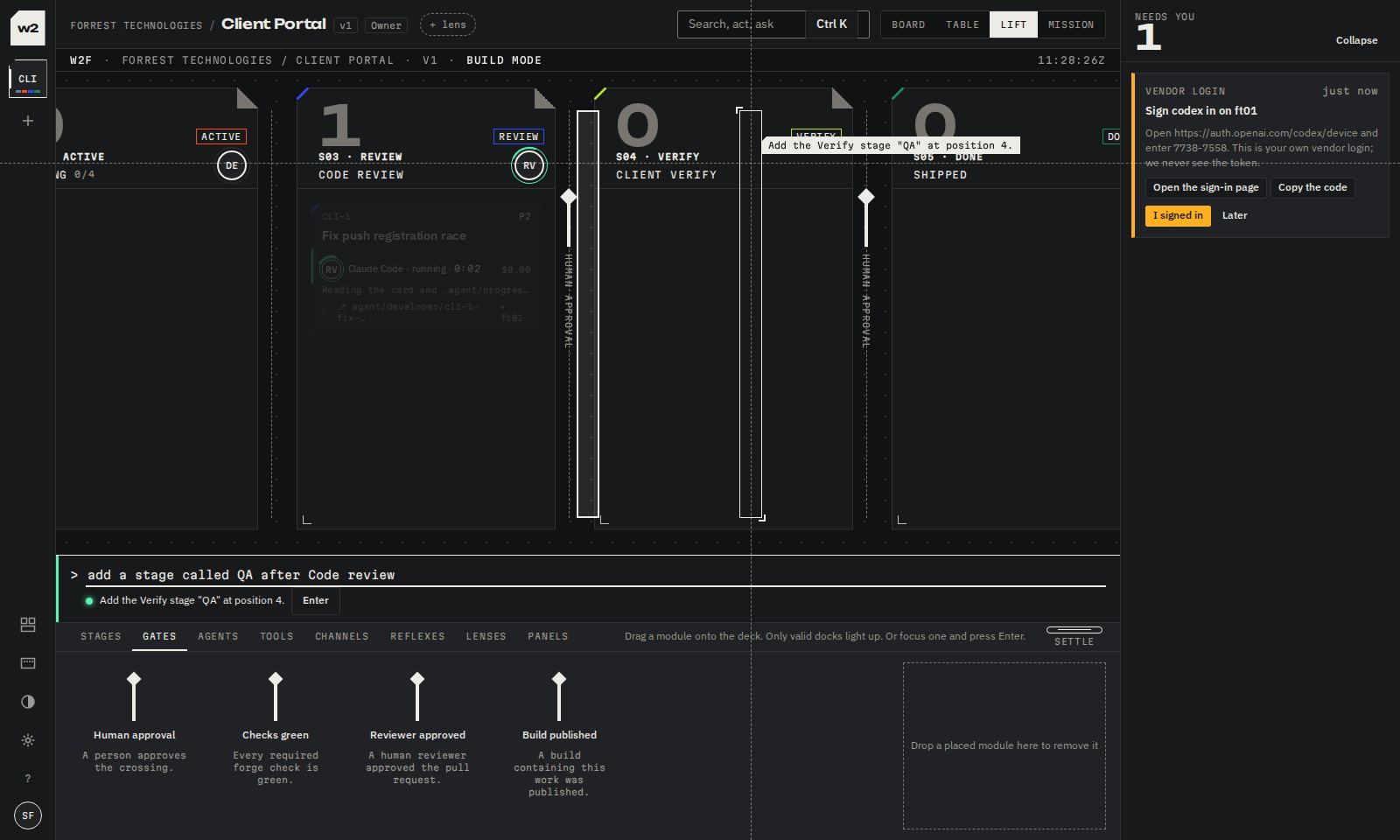
The compose line with "add a stage called QA after Code review" typed in, and an outline on the board where the new stage would go.
03 · Compose You can also type the change. "Add a stage called QA after Code review" shows where the stage will go before you press Enter.
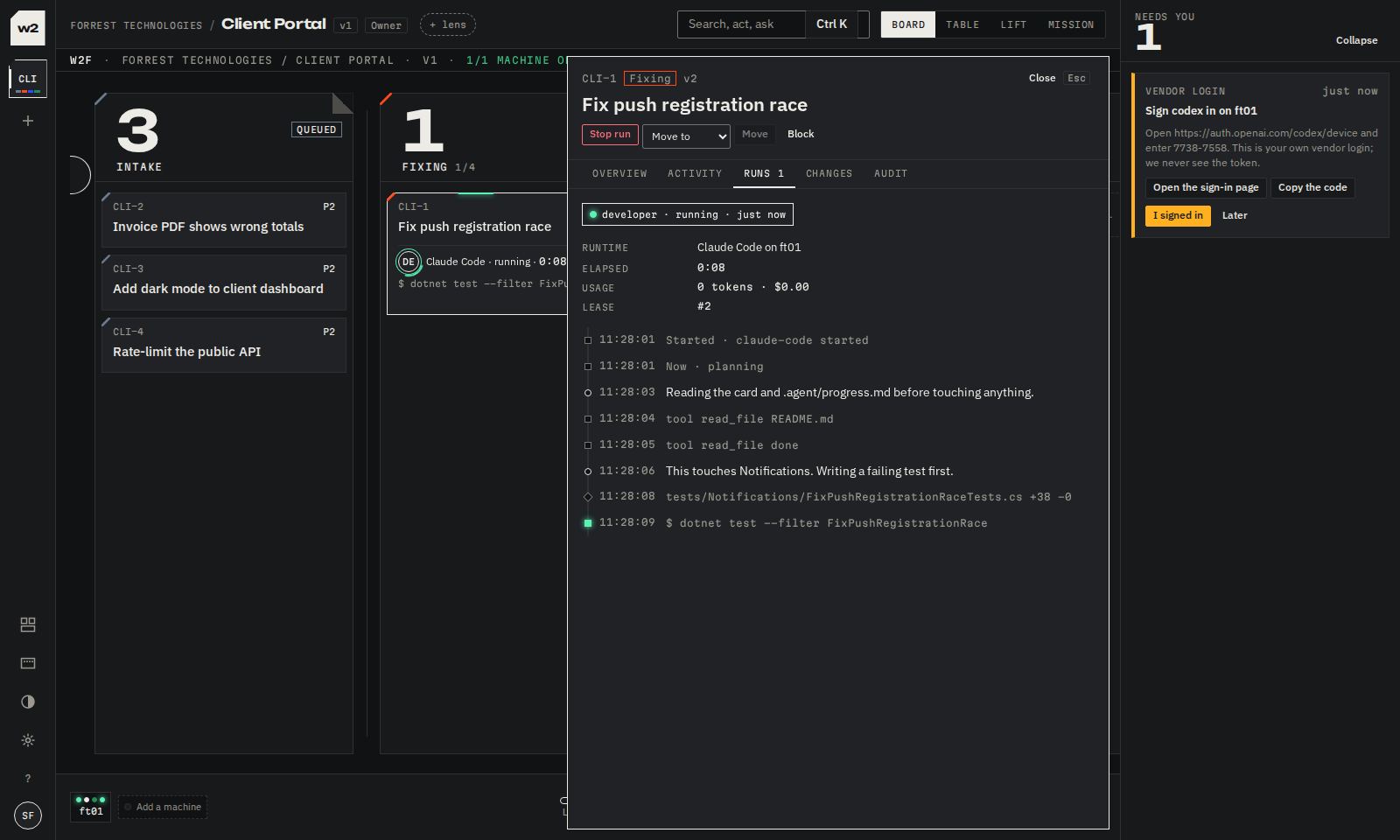
A card drawer on the Runs tab: Claude Code on machine ft01, elapsed time, token usage and cost, and a timestamped list of the agent's steps.
04 · Live runs The card drawer streams the run from the machine: tool calls, files changed, commands, tokens and cost.
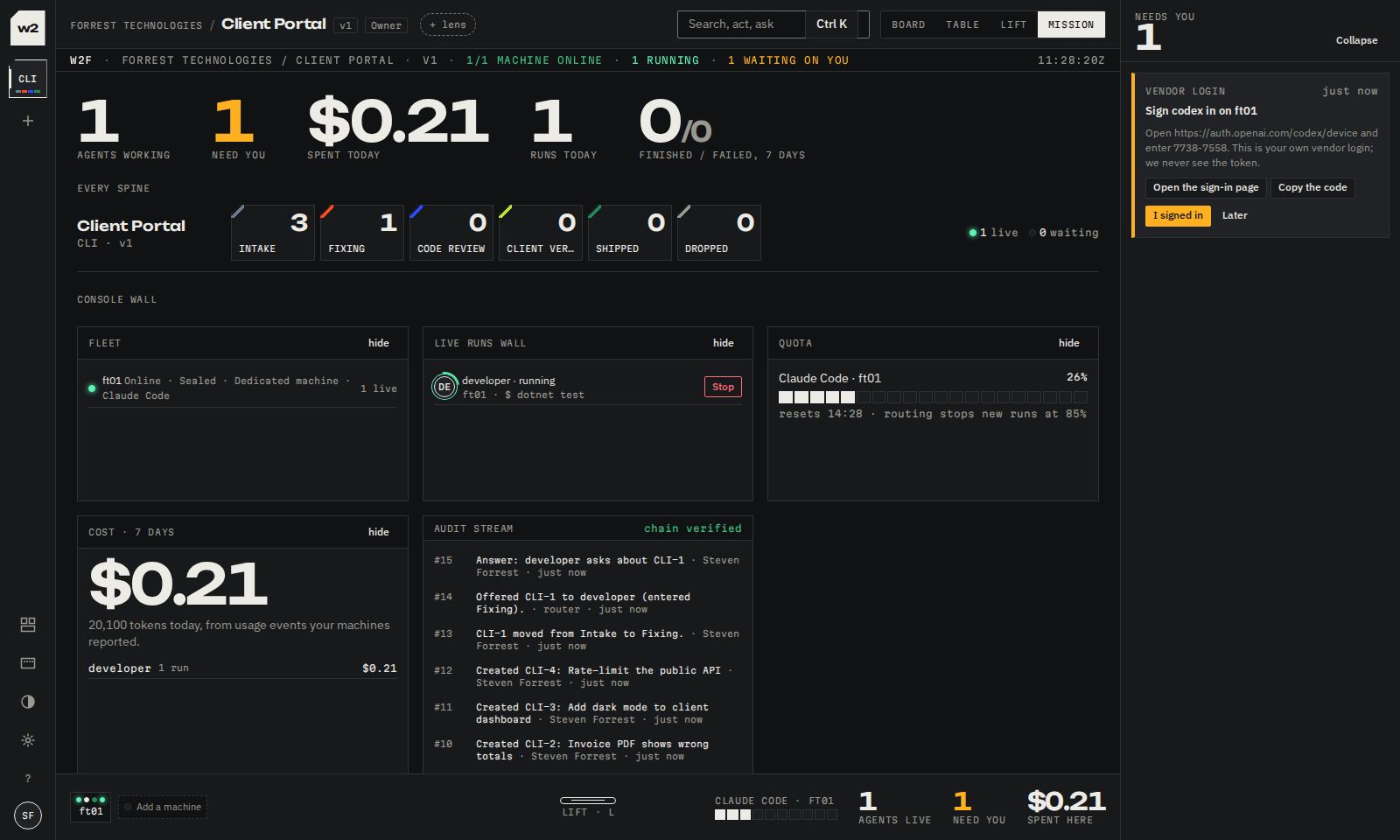
Mission control: counts of agents working, items needing a person, spend and runs today, stage counts for one deck, and panels for machines, live runs, quota, cost and the audit stream.
05 · Mission control Press Z to see every deck, machine and live run on one screen, with spend, quota and the audit log.
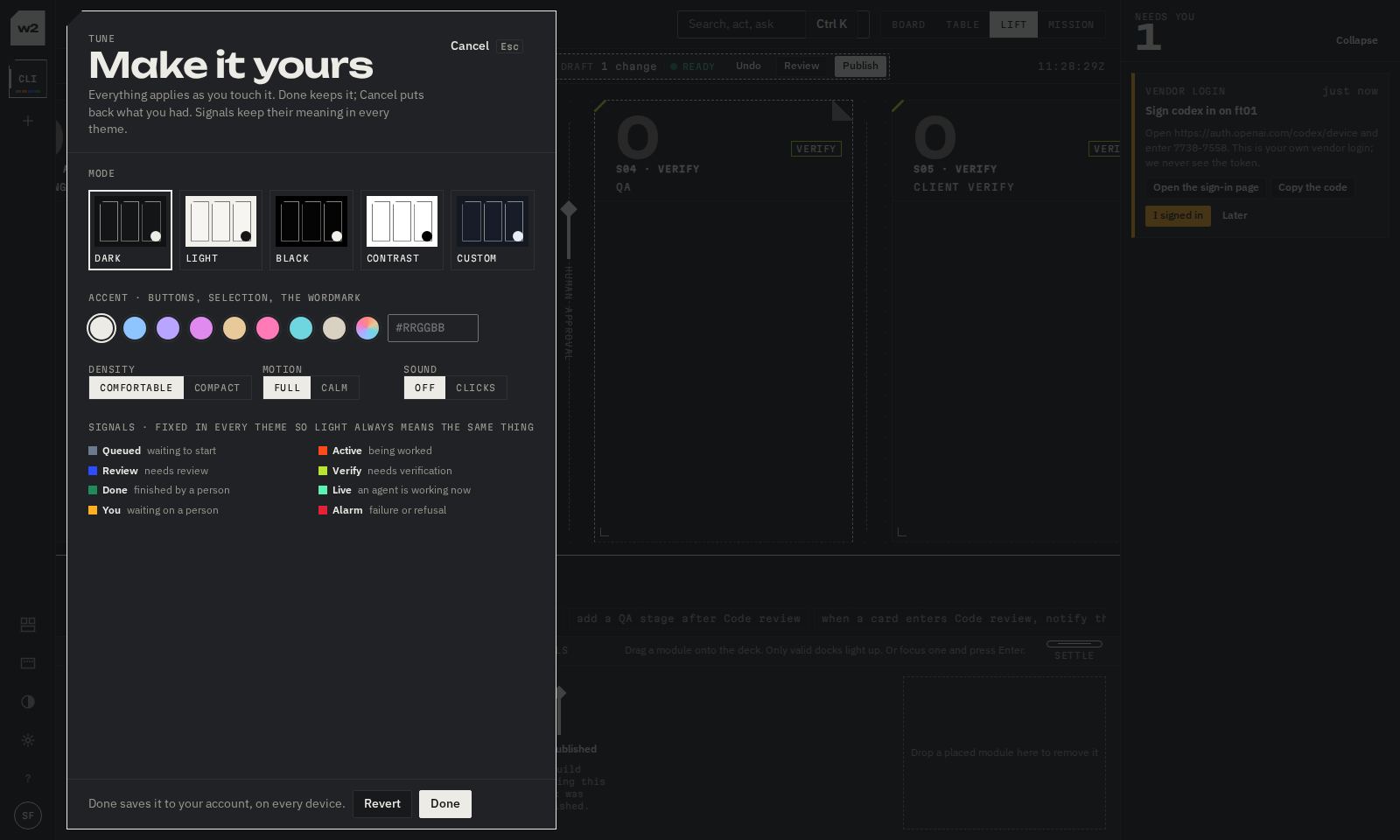
The Tune sheet with five theme modes, accent color swatches, density, motion and sound settings, and the list of fixed signal colors.
06 · Tune Dark, light, black, high contrast or custom, with your own accent color. Status colors are the same in every theme.
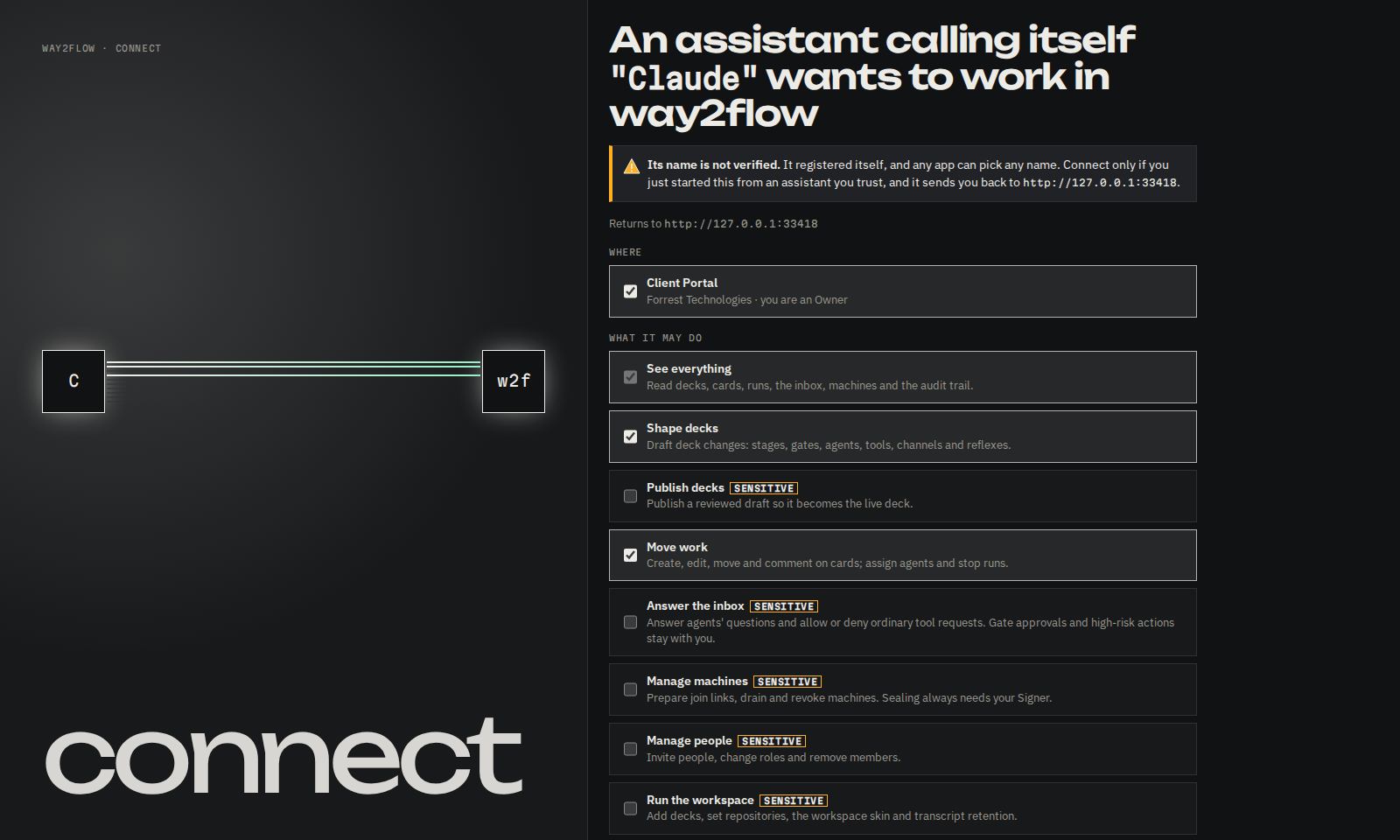
The connect page for an assistant named Claude: a warning that the name is unverified, the workspace it may use, and a list of permissions with the sensitive ones unticked.
07 · Connect Claude and other MCP clients connect with the permissions you tick here. They cannot approve gates, sign or seal.
Extensions

Write your own gates,
automations and integrations.

Extensions are custom gates, automations, intake, notifications and client review screens. You build them on a canvas in the Workbench, or have your AI assistant draft one over MCP, and test them on the bench against saved inputs before a person publishes them. Published gates, reflexes (a card entering or leaving a stage, an agent run finishing), route scorers, schedules, console commands, intake mappers and notification sinks run live, sandboxed, as their own actor that can never approve or finish work; review links and the Jev gate run live too. Forge events run live too: GitHub reports checks, reviews and builds by signed webhook, with no GitHub token held.

  • Issue tracker
  • Security scanner
  • Inbound webhooks
  • Deploy status
  • Team chat
  • On-call pager
  • Custom approval gate
  • Any HTTP API
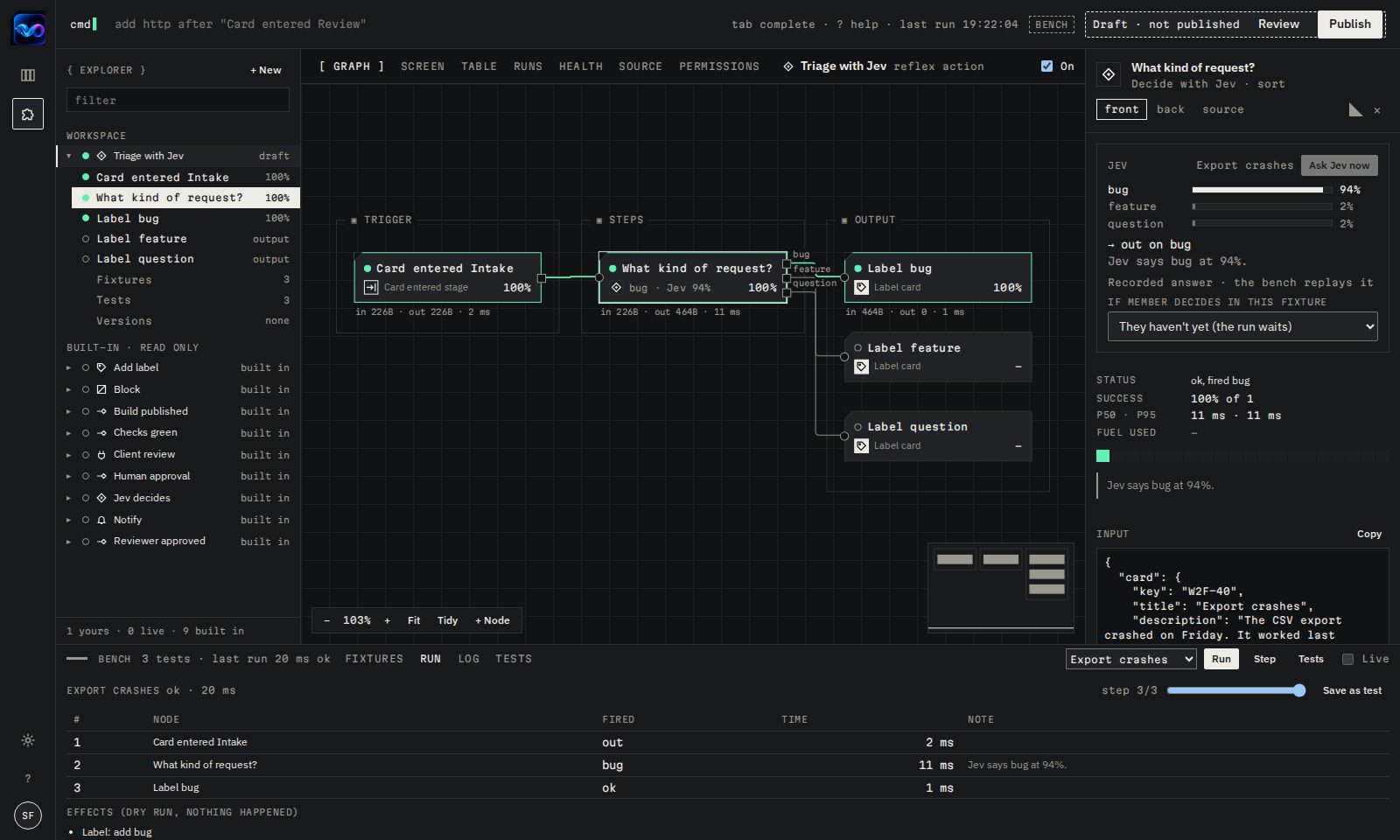
The Workbench canvas for an extension called Triage with Jev: a Card entered Intake trigger, a Jev decision step that chose bug at 94 percent, and a Label bug output, with the bench below listing the three steps of a dry run.
A bench run: Jev labels a new card as a bug. Bench runs are dry runs and change nothing on the board.
Why we built it

We wanted a team's process to be something the team edits directly. In way2flow the workflow is the board: you place every stage, gate and agent yourself, each change goes into a shared draft, and you publish it after reading the diff.

Forrest Technologies

Your workflow

Start from a starter deck or a blank one, then change it by dragging modules on the board or typing the change as a sentence.

Reviewed changes

Edits go into one shared draft the team can see. Review shows the change as sentences and a spec diff, and if someone else published first, you rebase before publishing.

People approve

Agents run on your machines. Gate approvals, signing and moving a card to Done need a person.

Extension points

Custom gates, reflexes, schedules, console commands, intake mappers, notification sinks and forge events are extensions built in the Workbench, and run live once a person publishes them.

way2flow is invite-only for now. To join a workspace, open the link in your workspace invitation email.

Sign in
Something failed on this page. Reload

Reconnecting

The connection dropped.

Paused.

Could not resume. Reload